How the AIS US Visa Extension Works (Explained Simply, With Infographic)
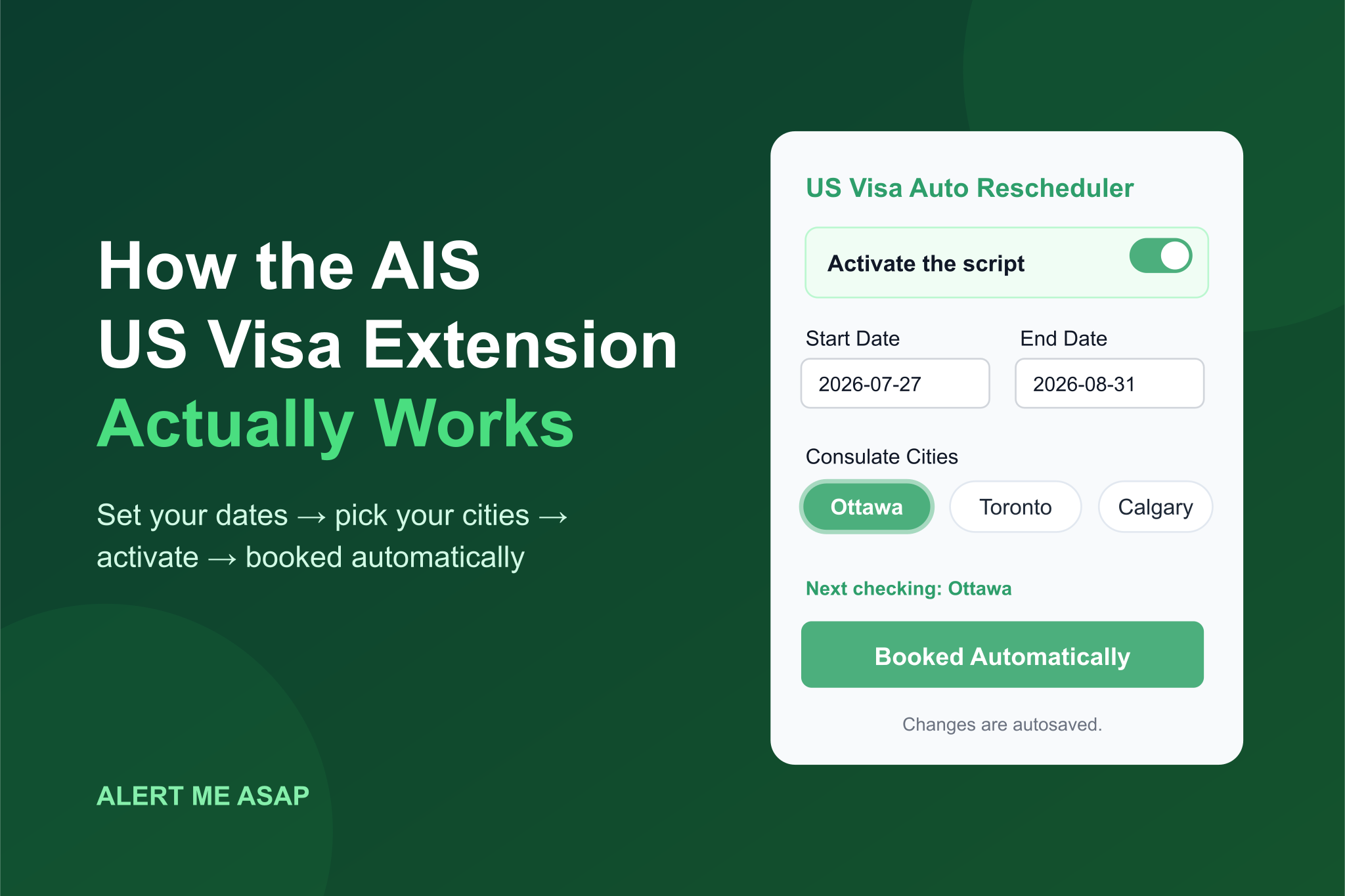
Getting an earlier US visa interview usually means refreshing the AIS portal for hours, hoping to catch a cancellation before someone else does. Our AIS extension does that watching for you — and with Autobook on, it grabs the date too.
Here’s the whole thing, start to finish:
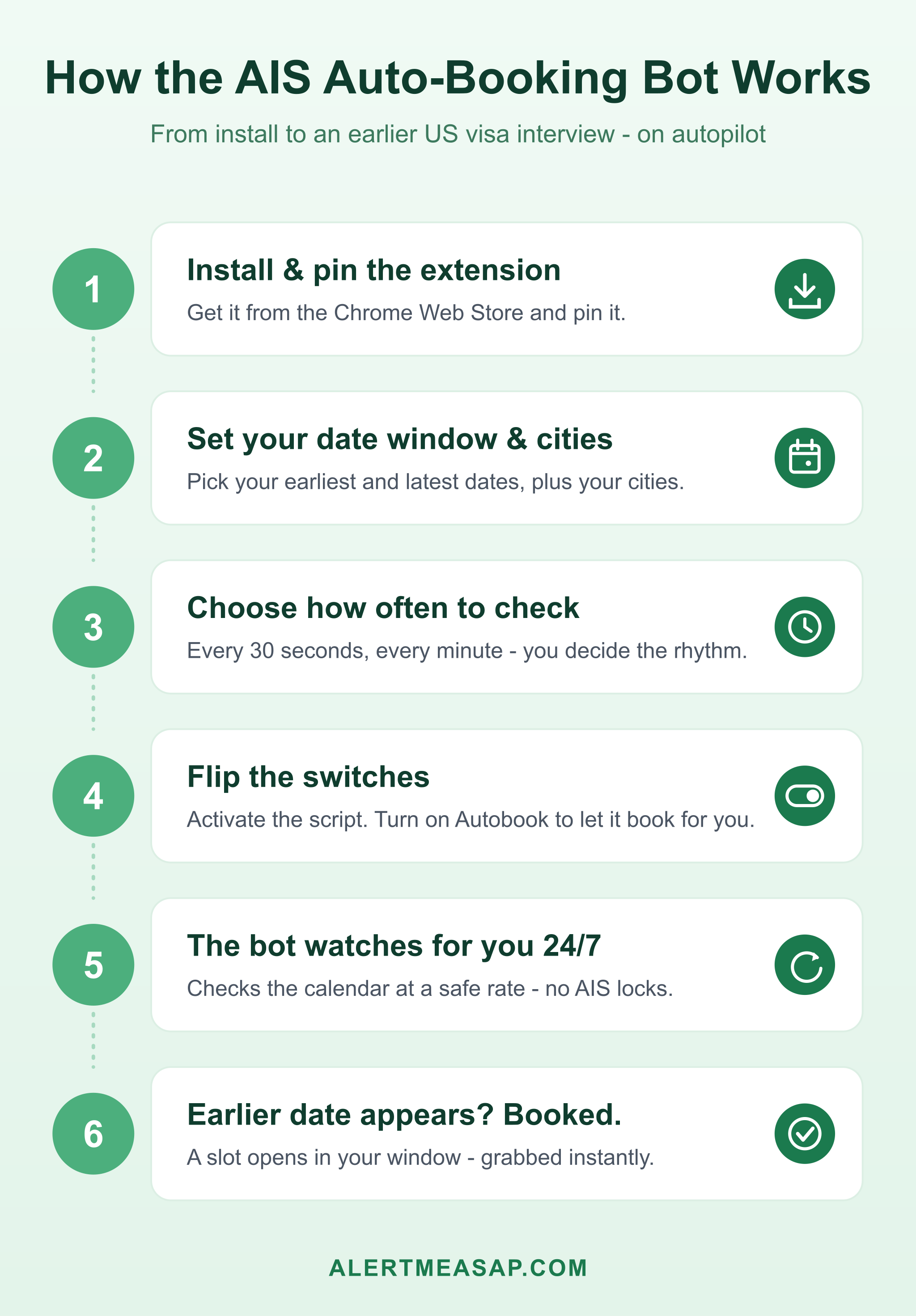
The idea in one sentence: You tell the extension which dates you’d accept and which cities work for you. It checks the AIS calendar again and again — and the moment a matching date appears, it books it.
What every setting means
Open the extension popup and you’ll see a small form. Here’s each piece, in plain words:
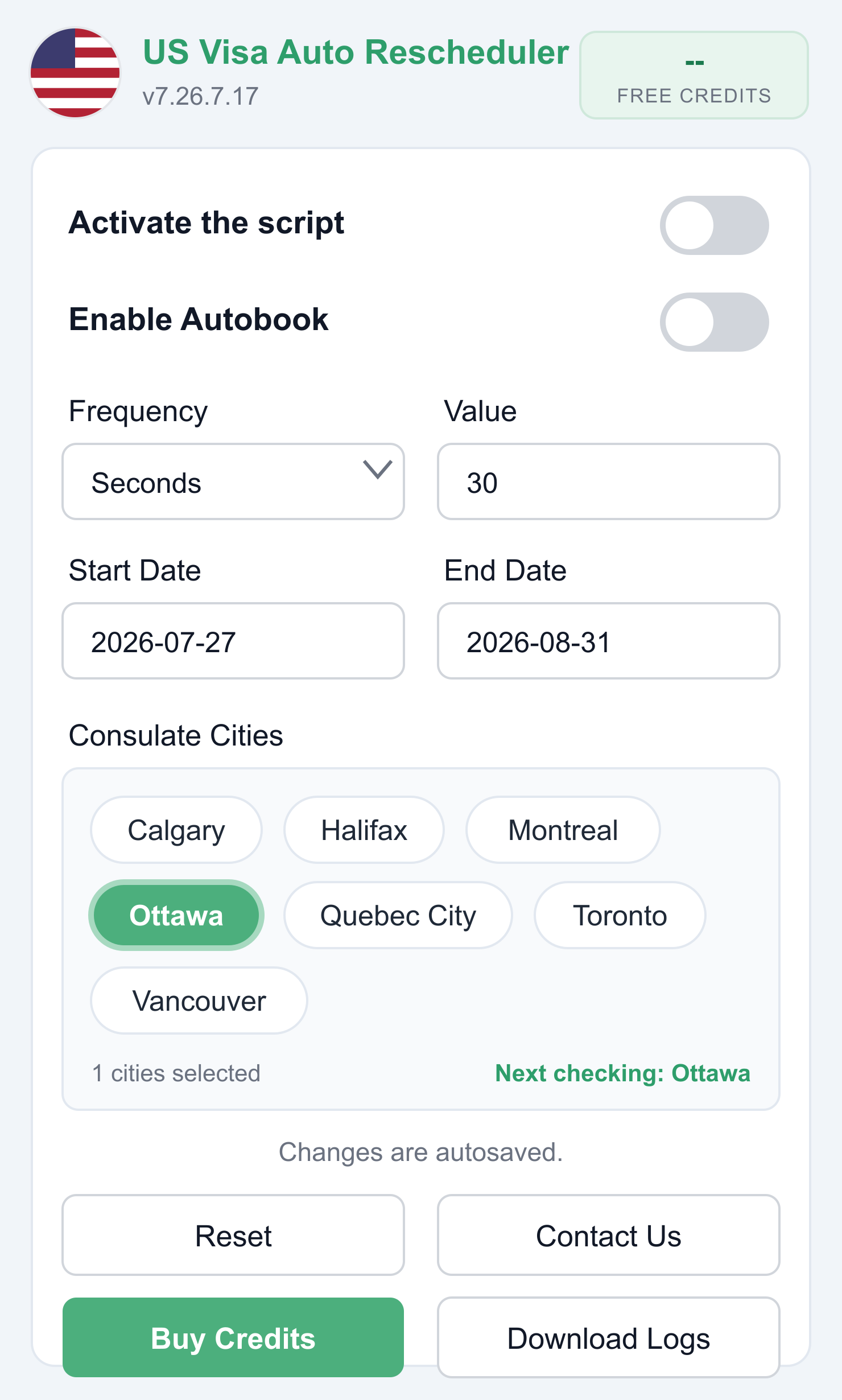 A configured popup: checking Ottawa every 30 seconds for dates between July 27 and August 31.
- Activate the script — the master switch. On means the bot is working, off means it’s asleep.
- Enable Autobook — the magic switch. Off: the bot only watches and shows you what it finds. On: it books the appointment for you the instant a matching date appears. At busy consulates a slot can vanish in under a second, so Autobook is the whole point.
- Frequency + Value — how often the bot checks. “Seconds / 30” means it looks every 30 seconds. You don’t need to go crazy here — steady and consistent beats fast and risky.
- Start Date and End Date — your date window, and the most important setting of all. The bot will only book a date between these two. Think about it before you set it: which dates could you actually show up? Too narrow and you’ll miss chances; too wide and you might get a date you can’t attend.
- Consulate Cities — tap the cities that work for you. In Canada that’s Calgary, Halifax, Montreal, Ottawa, Quebec City, Toronto and Vancouver. Pick one or several — “Next checking” shows which city the bot is looking at right now.
- Changes are autosaved — exactly what it says. No save button to forget; every change sticks immediately.
What happens when you switch it on
- You log into your AIS account (usvisa-info.com) and flip Activate the script.
- The bot opens the appointment calendar and checks it at the pace you chose.
- Every check, it compares the available dates against your window and your cities.
- Nothing there? It just waits and checks again. You can go do something else — it doesn’t get tired.
- The moment a date inside your window shows up: with Autobook on, it books it immediately. Done — your appointment is now the earlier date.
That’s really all there is to it. No tricks — it does exactly what you’d do by hand, just without sleeping, blinking, or missing the 2 a.m. cancellation.
Is this safe for my AIS account?
Three things matter, and the extension is built around them:
- It checks at a human-safe rate. Hammering the AIS portal with rapid requests is what gets accounts temporarily locked. The bot paces itself to stay well clear of that.
- Your password stays in your browser. Everything runs locally on your PC or laptop. We never see or store your credentials.
- It only books appointments. It never touches your password or email, so your account stays fully yours.
One practical tip: run only this bot. Other visa bots or auto-refreshers on the same page fight each other and can break the flow — the same rule as our CGI extension.
What does it cost?
Installing gives you free credits to try it out. Once you’ve seen it work, you can unlock more with the Buy Credits button right in the popup — the extension is USD $15. If you’d rather not keep your laptop on at all, there’s also a cloud plan that runs 24/7 on our servers.
Start here
- Watch first, free: join our Telegram alert channel for Canada to see slot alerts in real time.
- Then automate: install the AIS extension, set your window, pick your cities, flip both switches — and let it hunt.
It’s the same tool 23,000+ applicants have used to stop refreshing and start sleeping. Questions? We’re here.
Stop refreshing. Let Alert Me ASAP watch for you.
We monitor US visa appointment slots 24/7 and alert you the instant an earlier date opens — through our free Telegram channel and Chrome extension that can auto-book for you.
Keep reading
CGI Auto Rescheduler: How to Get Free Credits & Unlock Unlimited Credits
Just installed the CGI Auto Rescheduler extension and seeing 0 credits? Here's the full setup walkthrough — from pinning the extension to loading your free credits on the calendar page and upgrading to unlimited credits the right way.
'Invalid Email or Password' on US Visa AIS? 5 Causes and How to Fix Each
Stuck on 'Invalid email or password' when logging into AIS? Here are the 5 most common causes, how to fix them, and the one scam warning sign you can't ignore.

AIS Password Reset Email Not Arriving? Causes, Fixes, and a Scam Warning
Clicked Forgot Password on AIS but no reset email came? Work through the simple causes first — then learn why a missing email can signal your account was hijacked.